
Optimal conditions for GPS recording with a sports watch or smartphone
 By Philipp Avenell ·
5 min read
By Philipp Avenell ·
5 min read
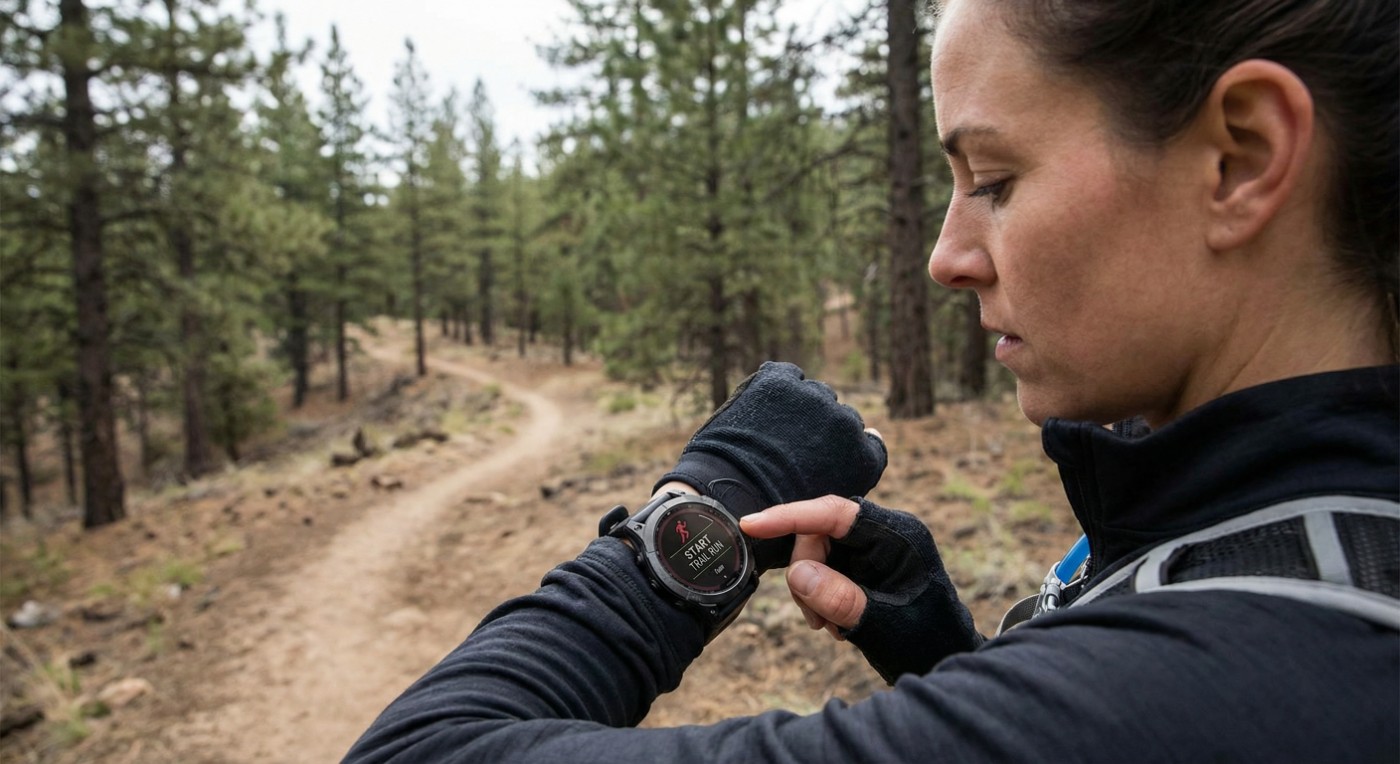
No GPS track is 100% perfect, but with a few tips you can clearly improve the accuracy of your route recording. So how do you start the optimal GPS recording?
Whether sports watch or smartphone, an optimal GPS recording requires both good environmental conditions and the right device settings. Below you will learn how to achieve the best possible GPS accuracy under ideal circumstances.
Establish a clear view of the sky
GPS signals come from satellites in the sky – so a clear view of the sky is essential. Avoid starting your activity in narrow street canyons, deep valleys or dense forests. Such obstacles block or reflect the signals and degrade positioning. Plan your starting point on open ground where possible, and try to avoid large obstacles along the route. In the city, tracks like to "jump" between street sides when tall buildings reflect the signal. An open environment, by contrast, delivers a strong GPS signal and thus more precise data.
Position and wear the device correctly
For both sports watch and smartphone, the position on your body matters. Wear your sports watch on the outside of your wrist, not hidden under thick clothing – that gives the watch better satellite contact. Your body is ~70% water and can dampen GPS signals. Similarly, a smartphone in your pocket or close to your body can be shielded. Better: attach the phone in an arm pouch or hold it loosely in your hand facing the sky. When running in a big group (e.g. a marathon start), the many people around you have a similar shielding effect – so do not be surprised if the track is a little imprecise at the beginning. Also make sure not to use a phone case that impairs GPS reception (some metallic cases can weaken the signal).
Prepare and stabilise GPS reception
Before you set off, give your device time to stabilise its GPS reception. Activate GPS and wait a few seconds until enough satellites are found. Modern sports watches (e.g. Garmin) show a GPS bar or status – only start your recording once it indicates a strong signal (often a green circle or text like "GPS ready"). Smartphone users: make sure location services are on and the tracking app has permission to use your location continuously. Avoid heading straight into a tunnel or under a roof right after starting – ideally begin in the open, so the first GPS fix is reliable.
Tip: some devices support AGPS (Assisted GPS). If your smartphone or watch has been connected to the internet, they have loaded current satellite data and find a precise position faster. A quick look at a "GPS status" app can help estimate the number of satellites and current accuracy. If in doubt, wait a few moments longer for a 3D fix (position + altitude) before you set off.
Device settings for maximum accuracy
Modern sports watches and many smartphones offer settings that can improve track accuracy:
- Use multi-GNSS: many devices can receive satellites from GLONASS, Galileo or BeiDou alongside GPS. Enable this option if available. The more satellite systems your device uses, the more signals are available for the position calculation – increasing the chance of an accurate fix. Note: using several systems or dual-band GPS (two frequencies) can consume a bit more battery, but often delivers better results in difficult environments.
- Recording interval: on sports watches, set GPS recording to "every second" instead of "smart interval" if you have the choice. You get more data points and a finer track. Smartphone apps usually record continuously anyway, but check the app settings to make sure no overly long update intervals are set.
- Enable auto-pause: GPS drift can add metres while you stand still. So switch on the auto-pause feature (if available). The device then automatically pauses distance measurement as soon as you stop. That prevents your tracker from "continuing to run" while you stand and counting unnecessary metres. It helps especially during longer stops (traffic lights, short breaks). (Note: without auto-pause, drift can in extreme cases add hundreds of metres per minute of standstill – this error source can be switched off with auto-pause.)
- Calibrate the altimeter: if you record elevation (e.g. for total ascent), calibrate a barometric altimeter at a known starting point. GPS elevations are less accurate (often ±10 m), but a calibrated barometer in a sports watch delivers noticeably more precise ascent and descent readings.
- Keep firmware and apps current: manufacturers steadily improve GPS accuracy through software updates. Make sure the latest firmware is installed on your sports watch and keep your smartphone apps up to date. Updated GPS chipset software and location data can noticeably increase precision.
On the move: navigate deliberately
Despite all preparation, there are situations you cannot change. Tunnels or underground sections inevitably cause signal loss – many watches then pause or bridge short stretches with motion sensors, but long tunnels often produce straight lines in the track. Here you can at best be prepared for the recording to be imprecise. Bad weather like heavy rain or thick clouds usually has little influence on GPS in the L-band (unlike satellite TV). However, extreme atmospheric disturbances (e.g. solar storms) can impair the signal – rare, but possible. In a vehicle, metal-coated windscreens or electronics can weaken the signal. Try to bring the device close to a window when tracking in a car or train.
Keep moving where possible: many small zigzag deviations are added up as distance by the device. If you do a lot of stop-and-go, more such inaccuracies can accumulate than if you move steadily. Of course your run or ride should not be completely dictated by this – but it helps to know that constant movement usually gives the GPS a clearer signal than repeated shielding (e.g. stopping under trees).
Small deviations are normal
If you follow these tips, you create optimal conditions for a GPS recording – with both sports watch and smartphone. You will achieve noticeably better accuracy, especially for the recorded route and pace. But remember: a few metres of deviation can never be fully avoided. Under ideal circumstances you can reach about 3–5 m accuracy; in difficult terrain it can be more than 10 m. In practice, the distance readings of good GPS devices stay within ~1–3% of the true value. That means a measured 10 km run might be logged as 10.1 km – this slight overshoot is normal and results from small GPS drifts and multipath effects. Do not let that discourage you. With open sky, the right settings and mindful handling, you get the maximum out of your GPS recording and can follow your training precisely. Happy tracking!